
Features
What BenefitsDock does
New hires, terminations, enrollment, documents, bills, payroll checks and the 1095-C, tracked in one place with a team behind it.
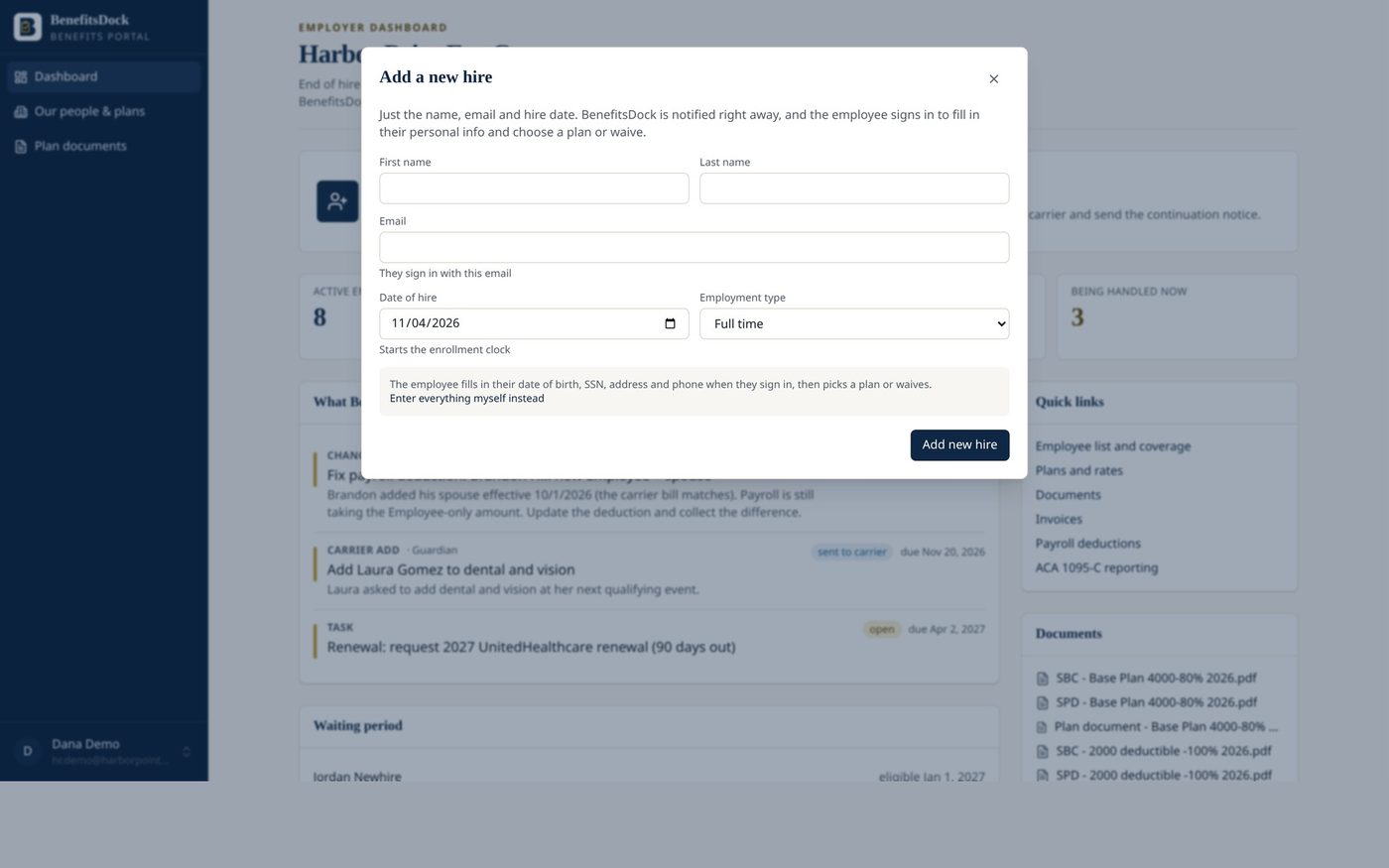
New hires tracked to the carrier
Eligibility date, due date and carrier confirmation for every hire.
Enter a hire once. BenefitsDock applies your waiting-period rule (first of the month after 30 or 60 days, date of hire, days after hire, and more) and sets the eligibility date for you.
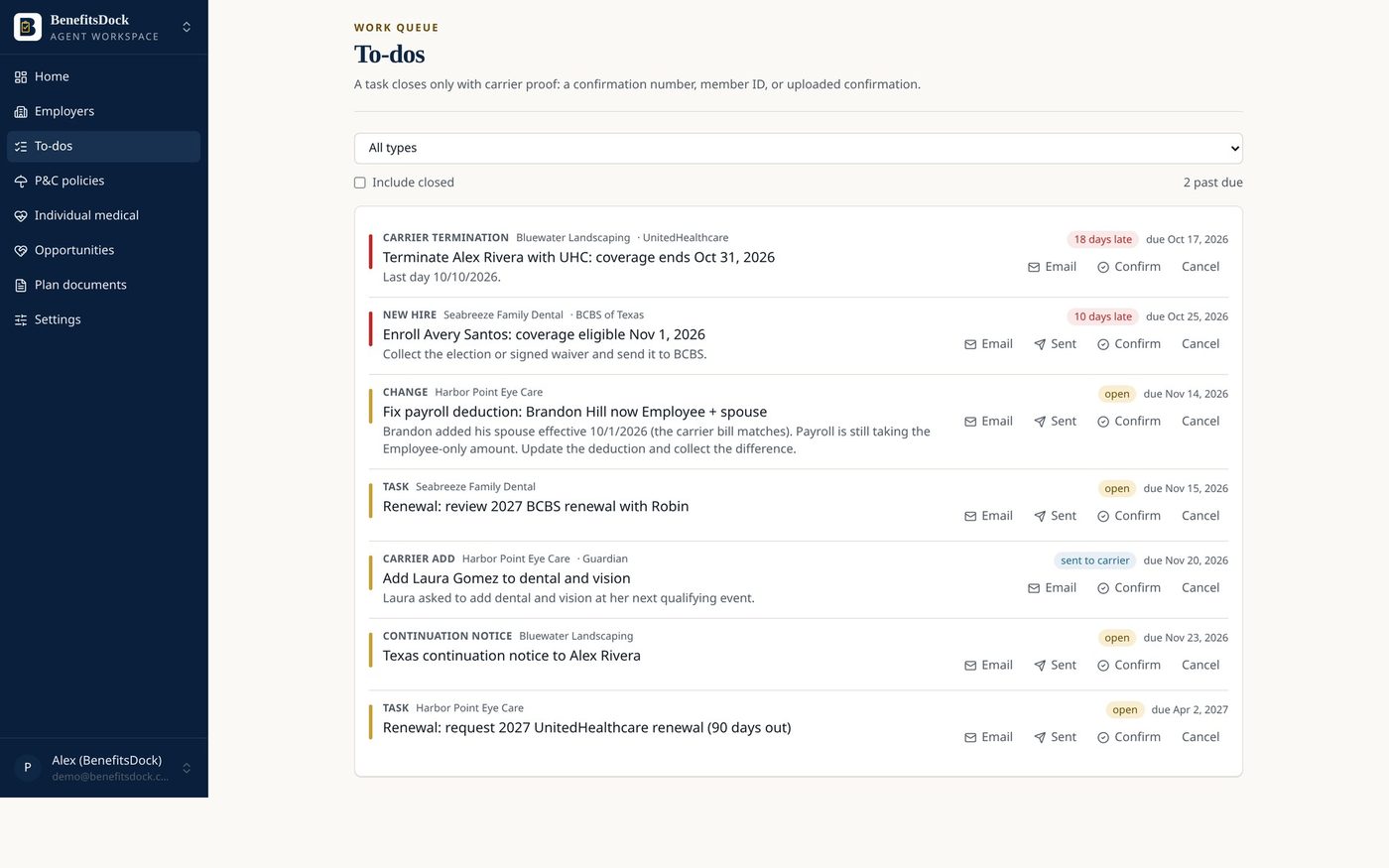
A task opens with a due date two weeks before coverage starts and a hard stop before the carrier’s retro window closes. The task can only be closed with proof: a carrier confirmation, member ID or file.
Terminations and continuation notices
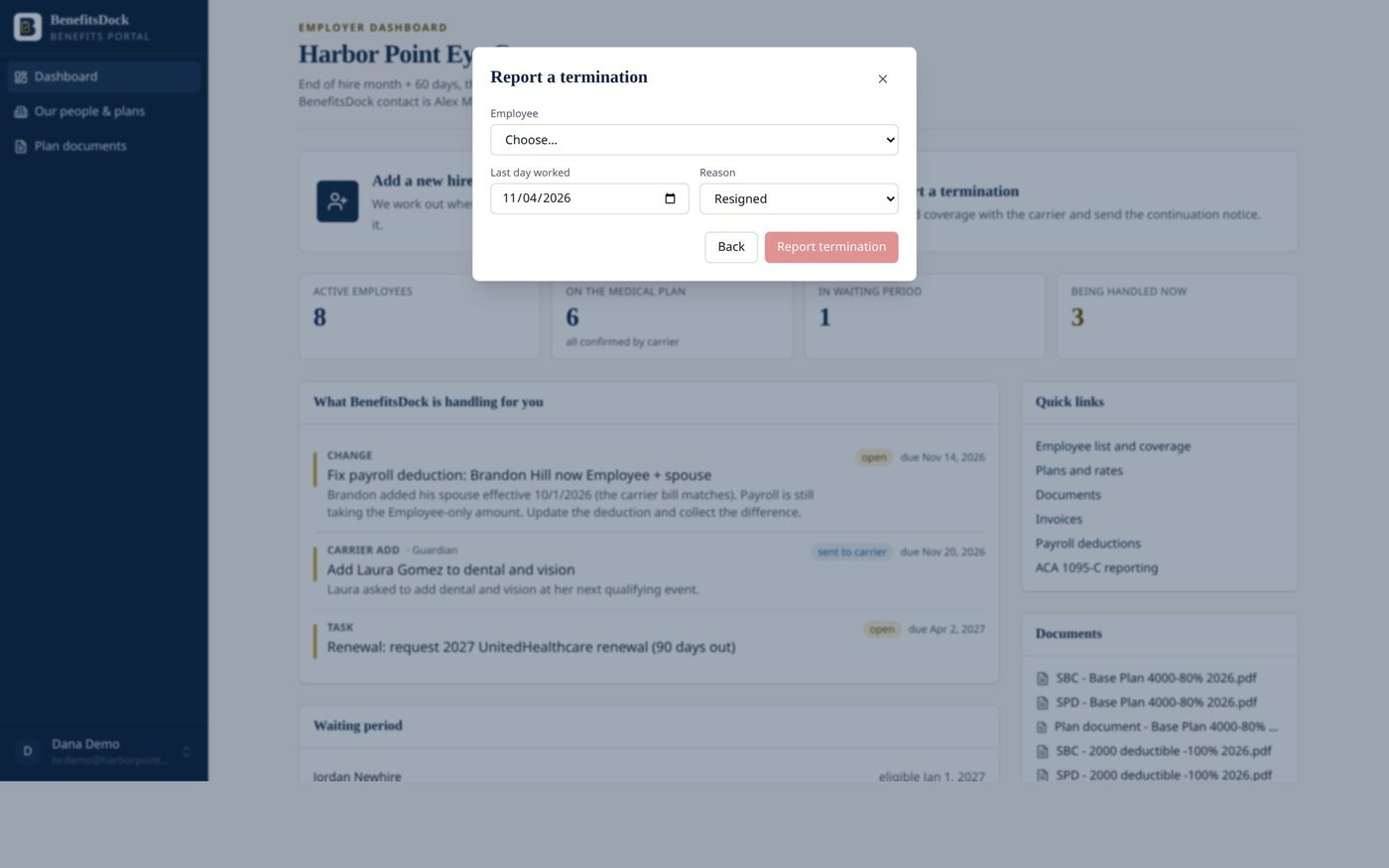
Coverage end date, carrier term task and the COBRA or Texas continuation clock.
Record the last day and the reason. Coverage end is set to the end of the month (or the term date if your plan works that way) and the carrier termination task opens on its own.
The continuation notice is scheduled too: federal COBRA at 20 or more employees, Texas state continuation under 20, with the 44-day notice deadline on the calendar.
Online enrollment and waivers
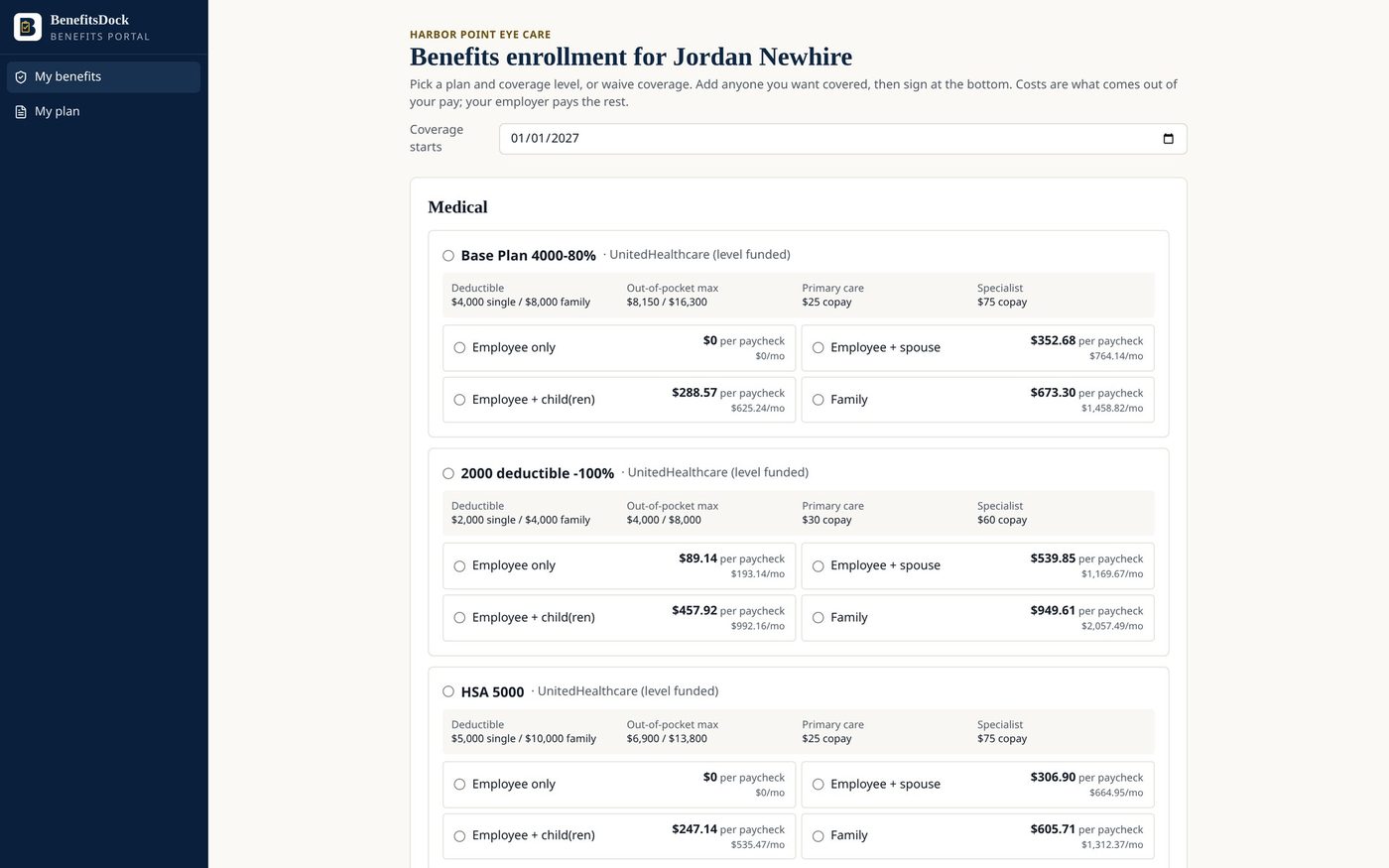
Employees compare plans, pick a tier, add dependents and sign.
Each employee gets a clean election form: plan highlights pulled from the SBC, cost per paycheck, per month and per year by coverage tier, dependents, and an electronic signature.
Waivers record the reason and the other coverage, and print as a signed form for your file. No more chasing paper.
An employee portal that answers the basic questions
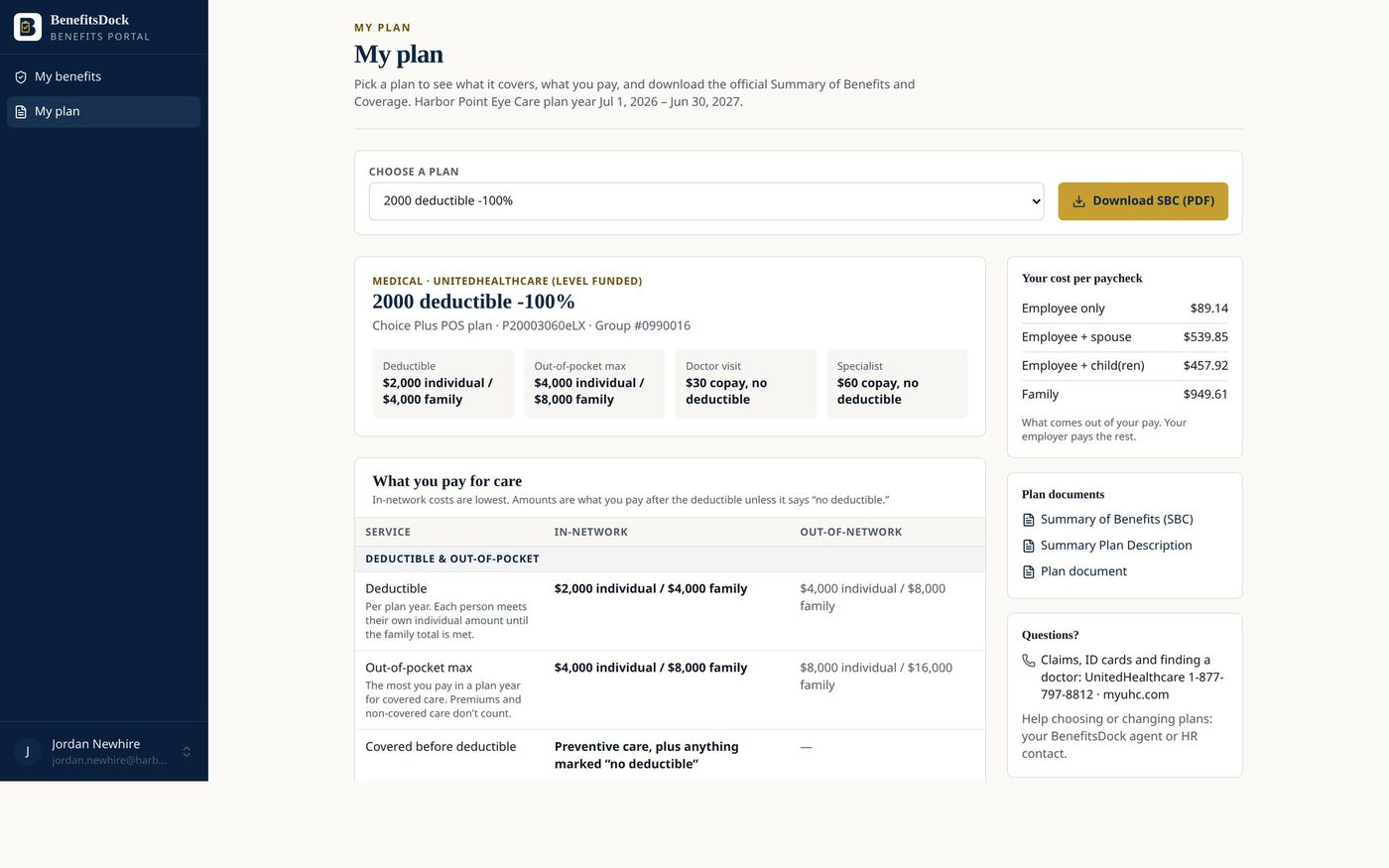
My plan, my dependents, my documents.
Employees can see what they are enrolled in, who is covered, and the plan documents that go with it. New hires can fill in their own details before HR reviews them.
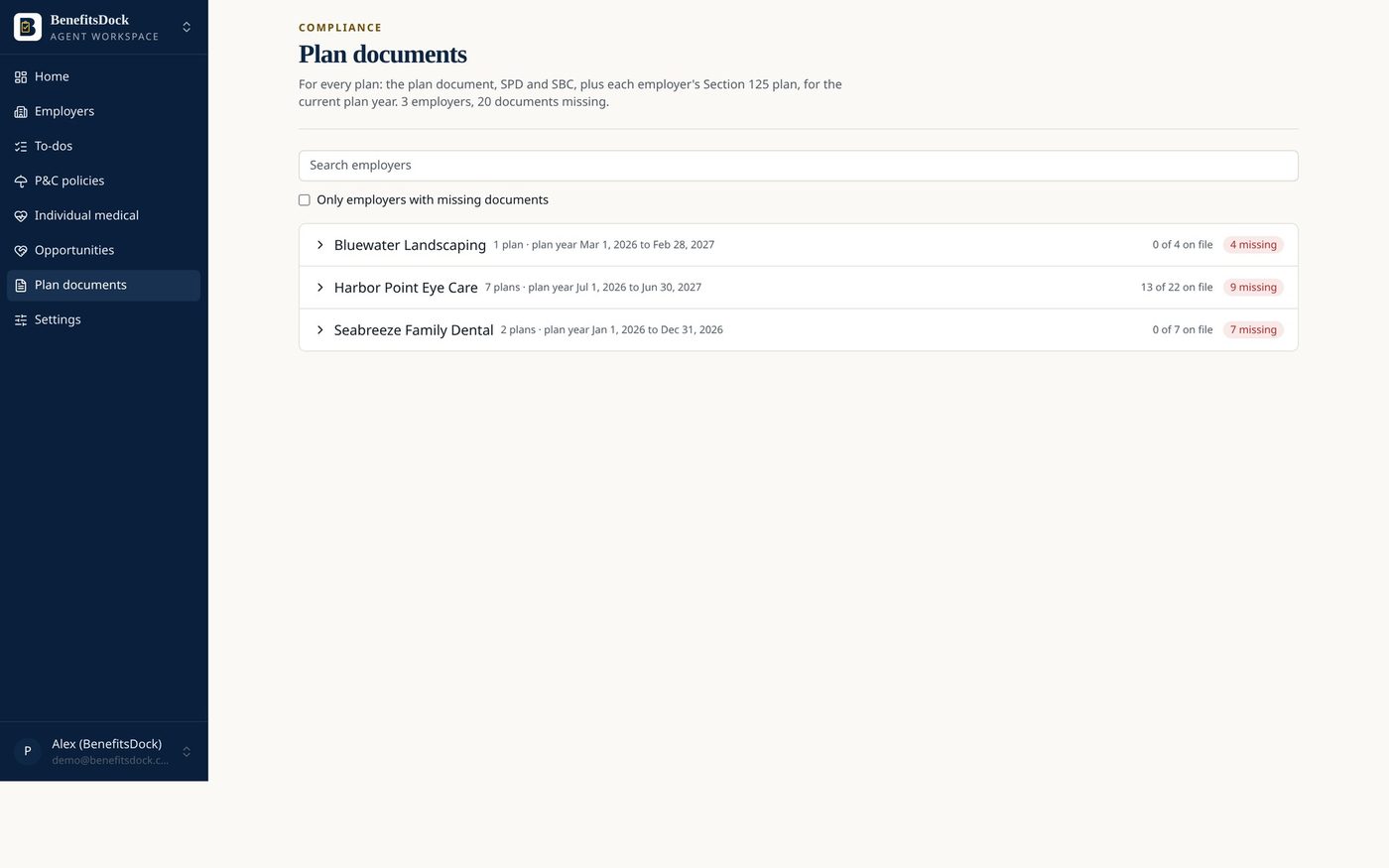
Plan documents in one place
Plan document, SPD, Section 125 plan and SBCs for each plan year.
Every plan year has a slot for the plan document, summary plan description, Section 125 cafeteria plan and the SBC for each plan, so you can find the right version when an employee or auditor asks.
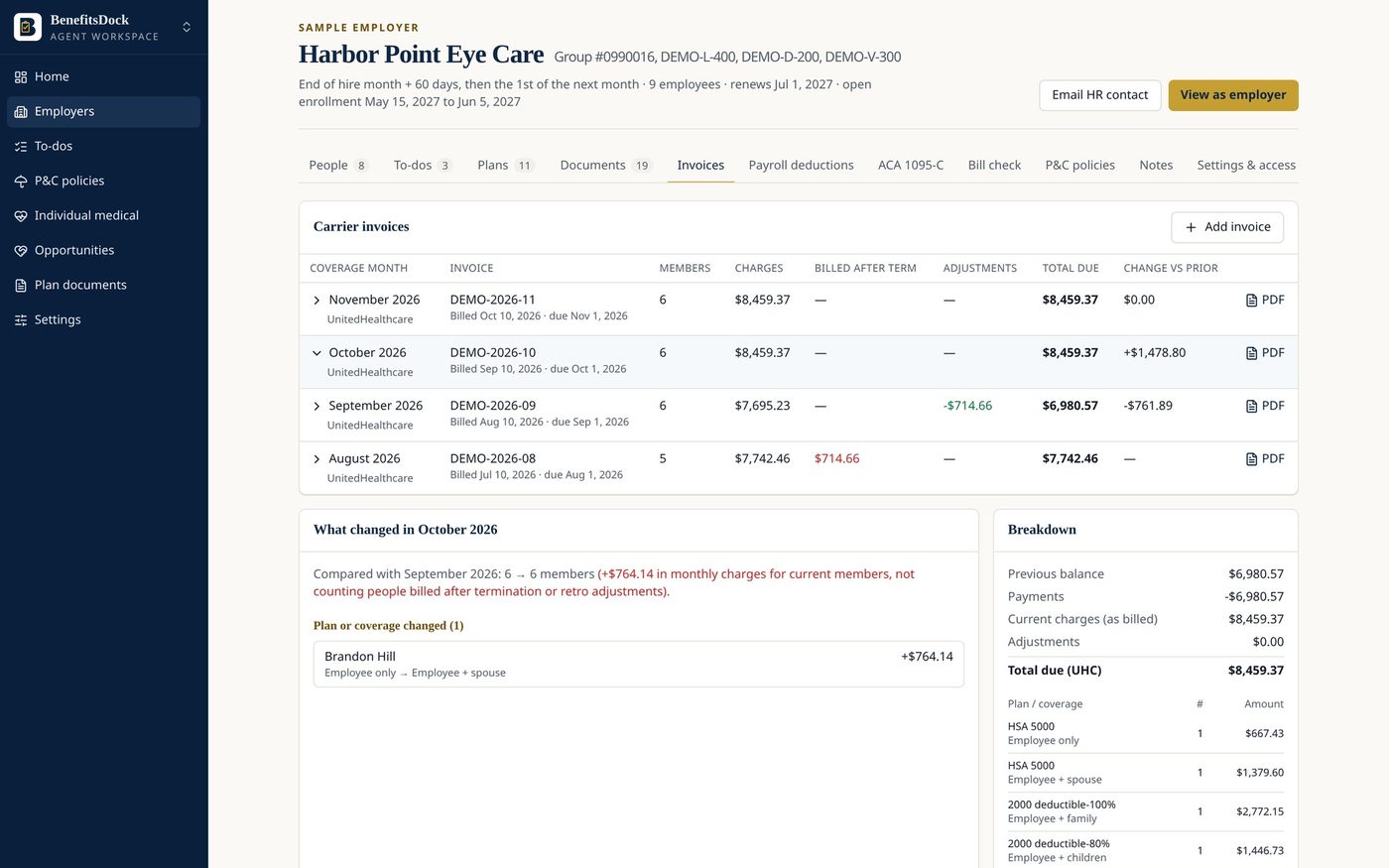
Carrier bill check
Match the monthly invoice to who should actually be on it.
Load the carrier invoice and BenefitsDock lines it up against your enrolled employees and tiers. Former employees still being billed and new hires who are missing stand out before you pay.
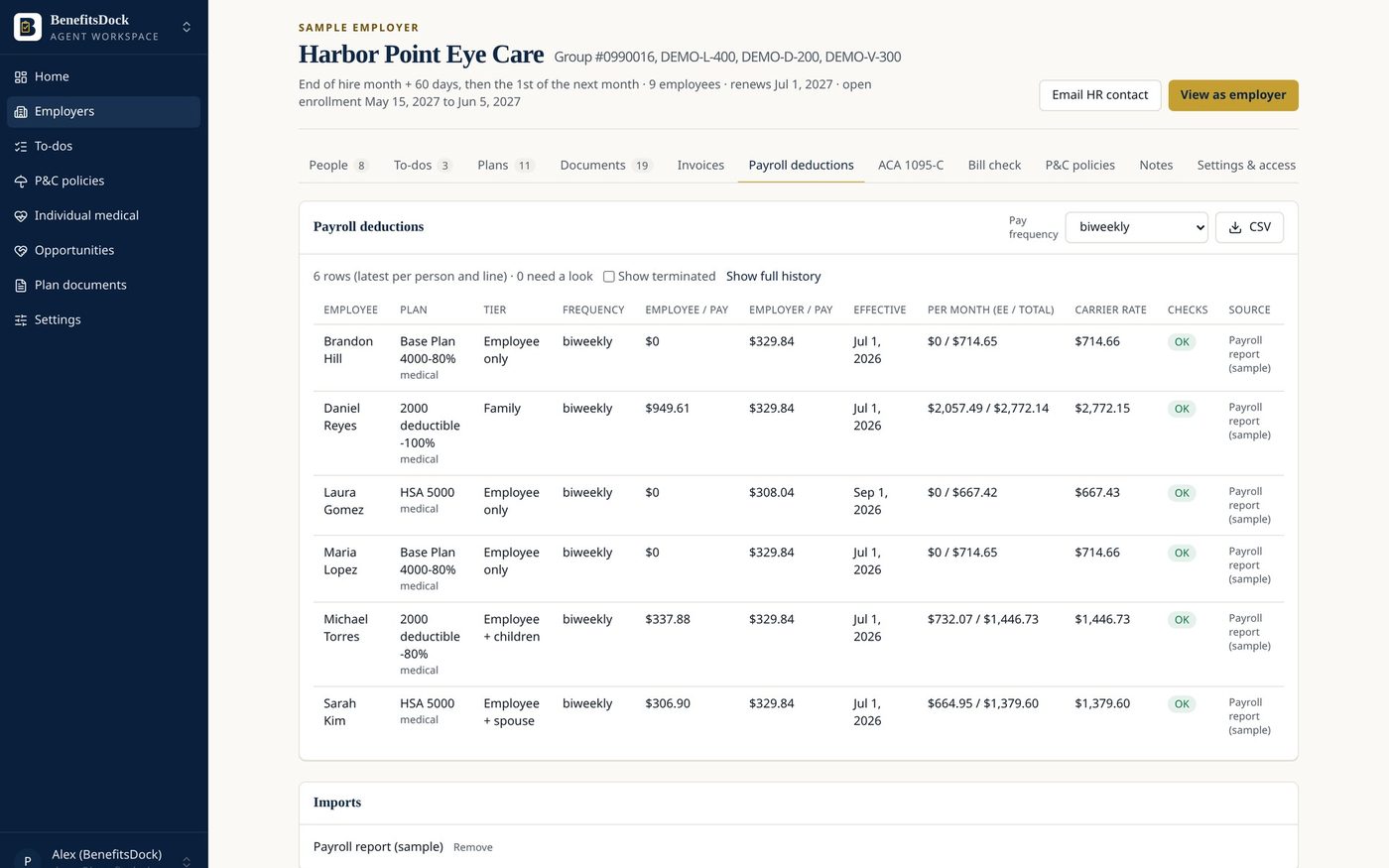
Payroll deduction checks
Catch deductions that don’t match the election.
Compare each employee’s payroll deduction to the cost of the coverage they elected. A wrong tier or a missed change shows up as an exception instead of a surprise at renewal.
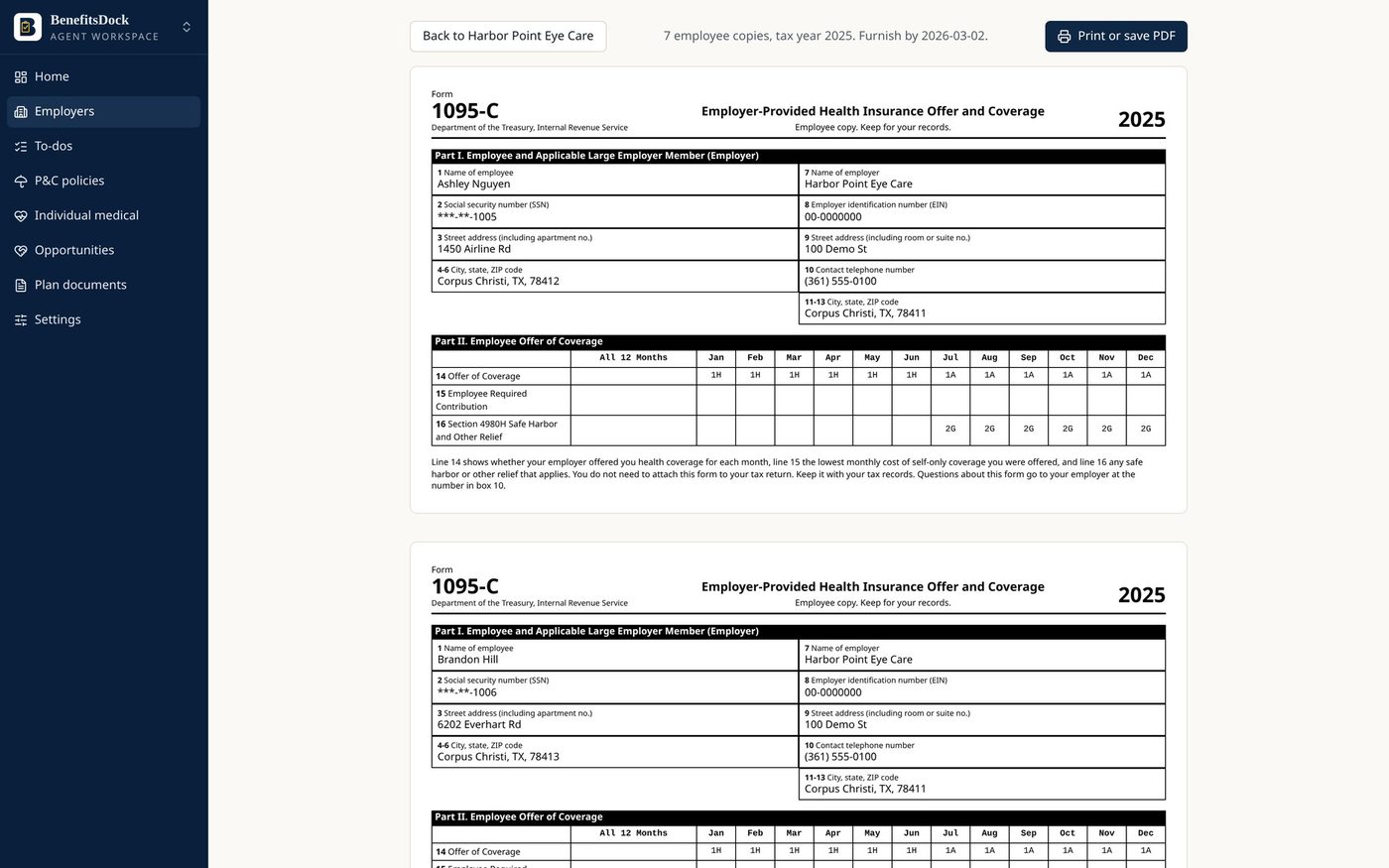
ACA 1095-C, ready at year end
Line 14, 15 and 16 codes worked out month by month.
For employers with 50 or more full-time employees, BenefitsDock works out the offer code, the employee’s lowest self-only cost and the safe-harbor code for each month, including waiting-period months.
Deadline alerts and a daily digest
Your team and ours see what is due before it is late.
A daily digest lists what is due today and this week, and anything close to a carrier deadline is escalated to your BenefitsDock team. Requests you email in are logged so nothing sits in an inbox.
See BenefitsDock with your own group in mind.
A 20-minute walkthrough with the BenefitsDock team: how a new hire moves to carrier confirmation, what employees see when they enroll, and how we would load your group.